
NSUserDefaults is iOS’s app-preferences API. It is designed for non-sensitive settings, what theme the user picked, what filter they have applied. The backing storage is a plist in the app’s data container (Library/Preferences/com.target.app.plist). The plist is readable by anyone with access to the device’s filesystem: a jailbroken device, a forensic acquisition, an iTunes backup, or in some cases a sandbox-escape exploit.
Apps that store auth tokens, OAuth refresh tokens, or PII in NSUserDefaults are doing the equivalent of writing them to a text file. The bug is common enough that “grep the plist” is the first step on any iOS audit.
The shape
LoginViewController.loginTapped drops the email, password, session token, and API key into UserDefaults.standard on every login:
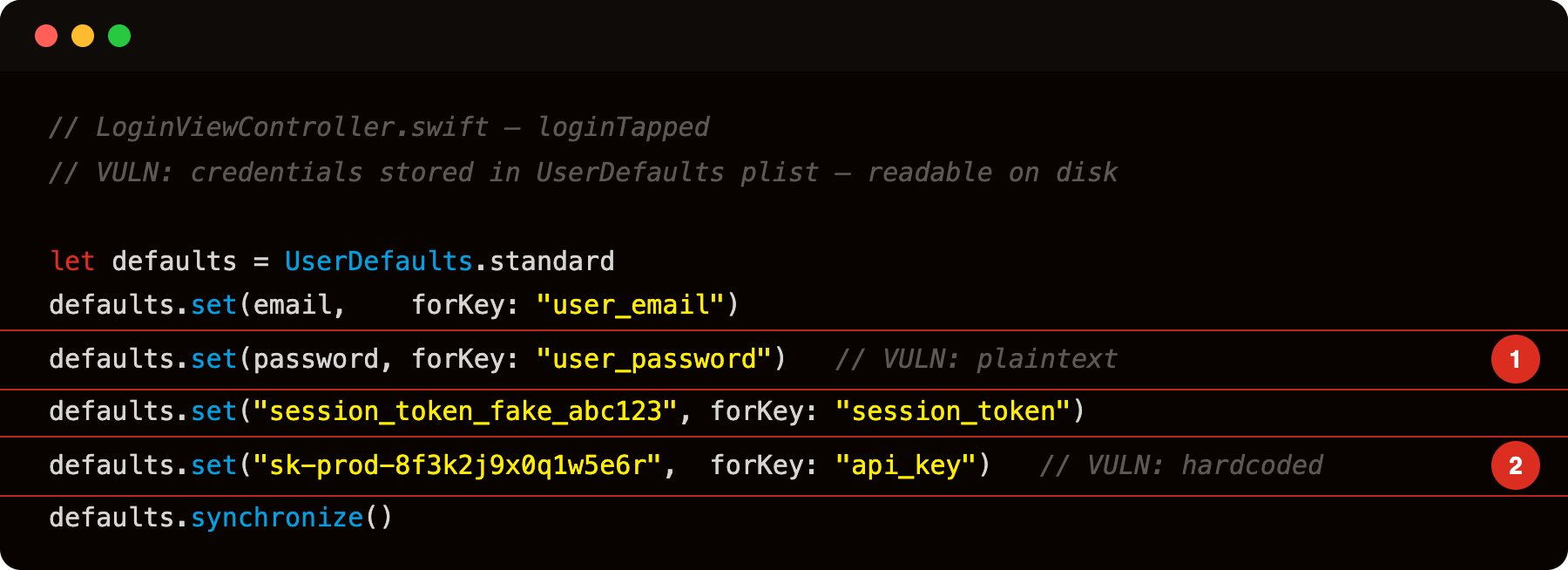
Highlight 1 is defaults.set(password, forKey: "user_password") - password written in plaintext to Library/Preferences/com.vulnlab.iosapp.plist; any process with filesystem access (jailbreak, iTunes backup, forensic tool) can read it without any crypto.
Highlight 2 is defaults.set("sk-prod-8f3k2j9x0q1w5e6r", forKey: "api_key") - hardcoded production API key stored the same way; both the key value and the storage location are recoverable from the plist.
Each call updates the plist file. The values are stored in plaintext (or base64-wrapped strings, which is plaintext). On disk at Library/Preferences/com.vulnlab.iosapp.plist the result looks like:
1
2
3
4
5
6
7
8
9
10
<dict>
    <key>user_email</key>
    <string>[email protected]</string>
    <key>user_password</key>
    <string>P@ssw0rd!</string>
    <key>session_token</key>
    <string>session_token_fake_abc123</string>
    <key>api_key</key>
    <string>sk-prod-8f3k2j9x0q1w5e6r</string>
</dict>
Pulling this file from a jailbroken device or an unencrypted iTunes backup gives the attacker everything.
Identifying the bug
Pull the plist via filesystem access:
1
2
3
4
# On a jailbroken device via SSH
scp root@device:/var/mobile/Containers/Data/Application/<UUID>/Library/Preferences/com.vulnlab.iosapp.plist .
plutil -convert xml1 com.vulnlab.iosapp.plist
cat com.vulnlab.iosapp.plist
Or via objection / frida-ios-dump’s nsuserdefaults action:
1
2
objection -g com.vulnlab.iosapp explore
ios nsuserdefaults get
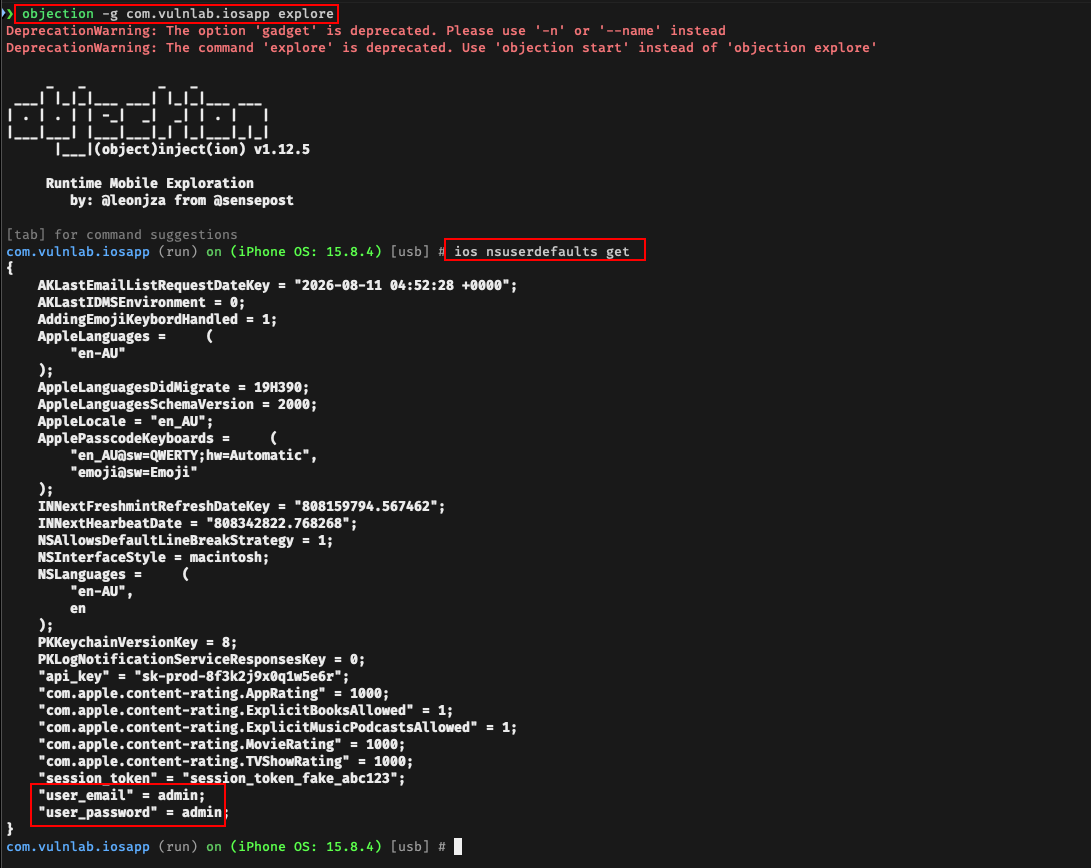
The dump lists every key-value pair. Sensitive content is visually obvious.
Static analysis: decompile the IPA and search for the strings:
1
strings Payload/VulnLabApp.app/VulnLabApp | grep -iE 'user_password|session_token|api_key|user_email'
Each match shows a candidate key name. The pattern UserDefaults.standard.set(*, forKey: "<key>") writes to that key. On VulnLabApp this surfaces user_email, user_password, session_token, and api_key directly.
Runtime hook: dump the existing store on first access, then intercept every write:
1
2
3
4
5
6
7
8
9
10
11
12
13
14
15
16
17
18
19
20
// frida -U -f com.vulnlab.iosapp -l nsuserdefaults.js
// Trigger a login in the app after attaching to see writes

var dumped = false;
Interceptor.attach(ObjC.classes.NSUserDefaults['+ standardUserDefaults'].implementation, {
  onLeave: function (retval) {
    if (dumped) return;
    dumped = true;
    var d = new ObjC.Object(retval);
    console.log('[NSUserDefaults] existing store:\n' + d.dictionaryRepresentation());
  }
});

Interceptor.attach(ObjC.classes.NSUserDefaults['- setObject:forKey:'].implementation, {
  onEnter: function (args) {
    var key   = new ObjC.Object(args[3]);
    var value = new ObjC.Object(args[2]);
    console.log('[setObject:forKey:] ' + key + ' = ' + value);
  }
});
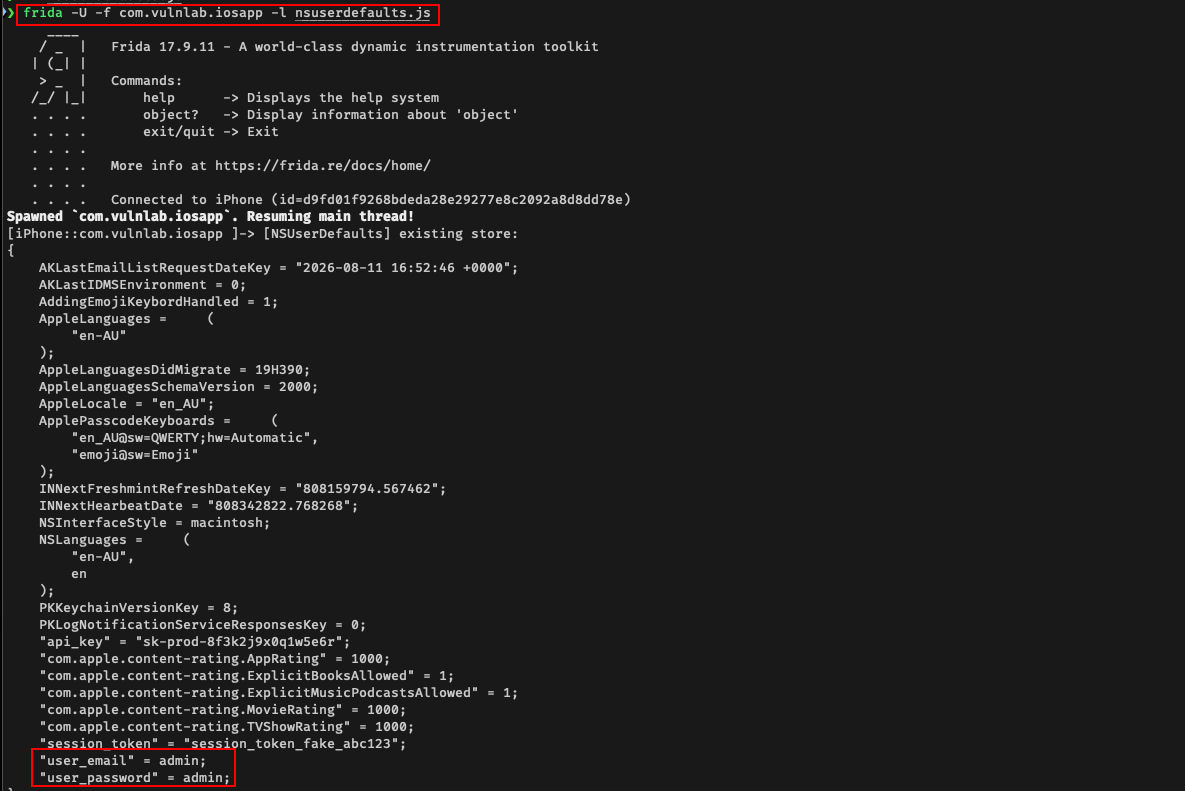
The first block prints the entire existing store once; the second block prints every write in real time. Tapping Login in VulnLabApp triggers four setObject:forKey: calls — email, password, session token, and API key in plaintext.
The iTunes backup angle
Even without a jailbroken device, NSUserDefaults plist contents end up in iTunes backups. The plist is in the app’s Library/Preferences/, which is included in backups by default.
1
2
3
4
5
6
7
8
# Enable backup
idevicebackup2 encryption on somepassword

# Backup, then extract
idevicebackup2 backup --full ./backup
ideviceibackup2 unback ./backup
# Find the plist
find unback -name '*.plist'
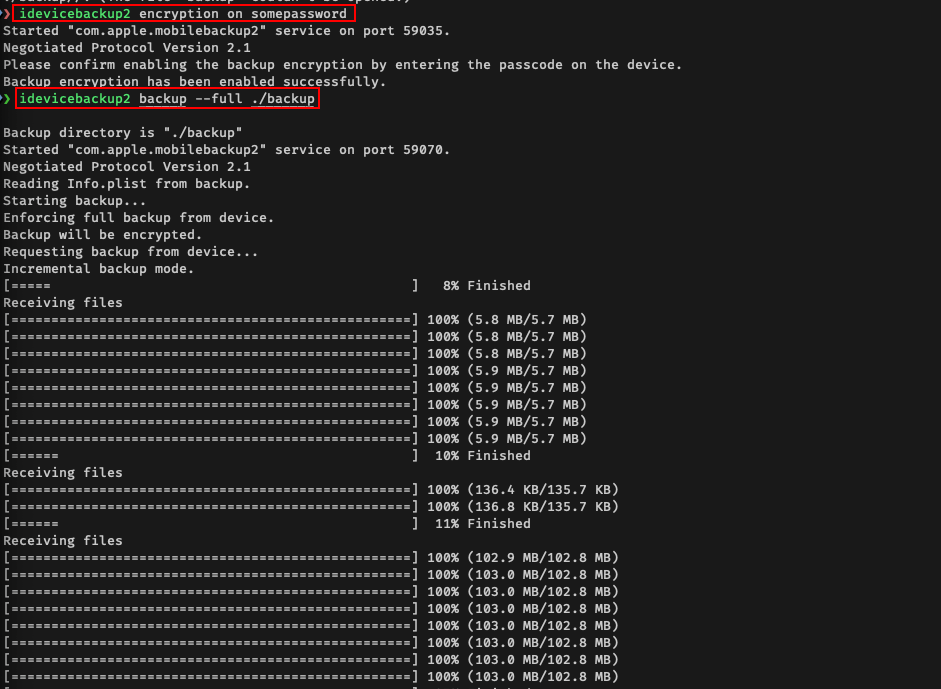
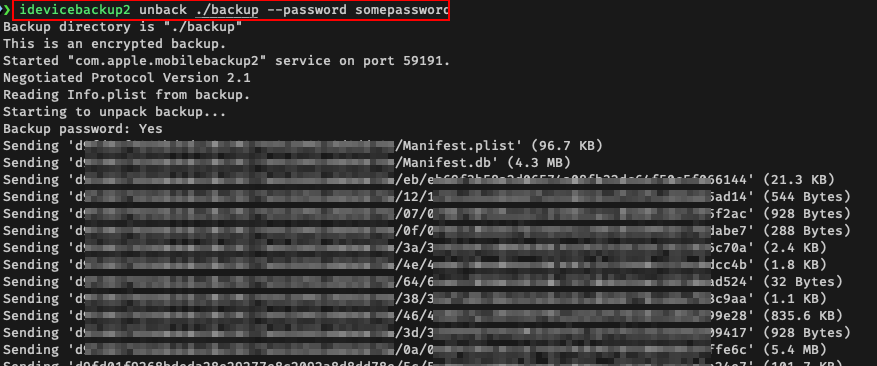
For encrypted backups, the password is required to decrypt. For unencrypted backups (the default if the user did not enable backup encryption), no password.
This is the realism gap that makes NSUserDefaults leakage matter:
- An attacker with physical access to the user’s Mac / PC who has run iTunes for the device.
- A backup leaked to a cloud service (iCloud backup, third-party cloud backup) and breached.
- A spousal-monitoring scenario where the attacker has macOS / iCloud access.
App-Group container variant
Apps with extensions (Today widget, Action extension, Notification Service extension, Share extension) share data via App Groups. The shared NSUserDefaults(suiteName:) writes to a different plist in the group container:
1
2
let shared = UserDefaults(suiteName: "group.com.vulnlab.iosapp")
shared?.set(token, forKey: "auth_token")
The group container is at /private/var/mobile/Containers/Shared/AppGroup/<UUID>/Library/Preferences/<suite>.plist. Same readability properties, accessible to all apps in the group (the developer’s apps, which the attacker has if they have any), accessible via jailbreak, included in backups.
Worse, if a third-party SDK requests App Group access (sometimes legitimate for analytics, sometimes for less-legitimate reasons), the SDK can read the secrets.
Defence
The correct storage for secrets is the Keychain:
1
2
3
4
5
6
7
8
9
10
11
// Wrong
UserDefaults.standard.set(authToken, forKey: "auth_token")

// Right
let query: [String: Any] = [
    kSecClass as String: kSecClassGenericPassword,
    kSecAttrAccount as String: "auth_token",
    kSecValueData as String: authToken.data(using: .utf8)!,
    kSecAttrAccessible as String: kSecAttrAccessibleWhenUnlockedThisDeviceOnly
]
SecItemAdd(query as CFDictionary, nil)
The Keychain version is encrypted at rest, scoped to the app, and excluded from unencrypted backups.
Sometimes developers “compromise” by hashing the token before storing in UserDefaults. That defeats backups-via-rainbow-table but does not help against direct device access, the attacker reads the hash, then uses it directly if it is hashed-but-not-salted, or uses it on the original endpoint if the app sends the hash to the server.
The only correct answer is Keychain with appropriate accessibility.
Closing
NSUserDefaults is the iOS equivalent of plaintext-on-disk. The audit is one objection command. The fix is Keychain with kSecAttrAccessibleWhenUnlockedThisDeviceOnly. Worth running on every iOS app, especially banking and finance apps where the plist contents are directly account-equivalent.
Happy Hacking !!